


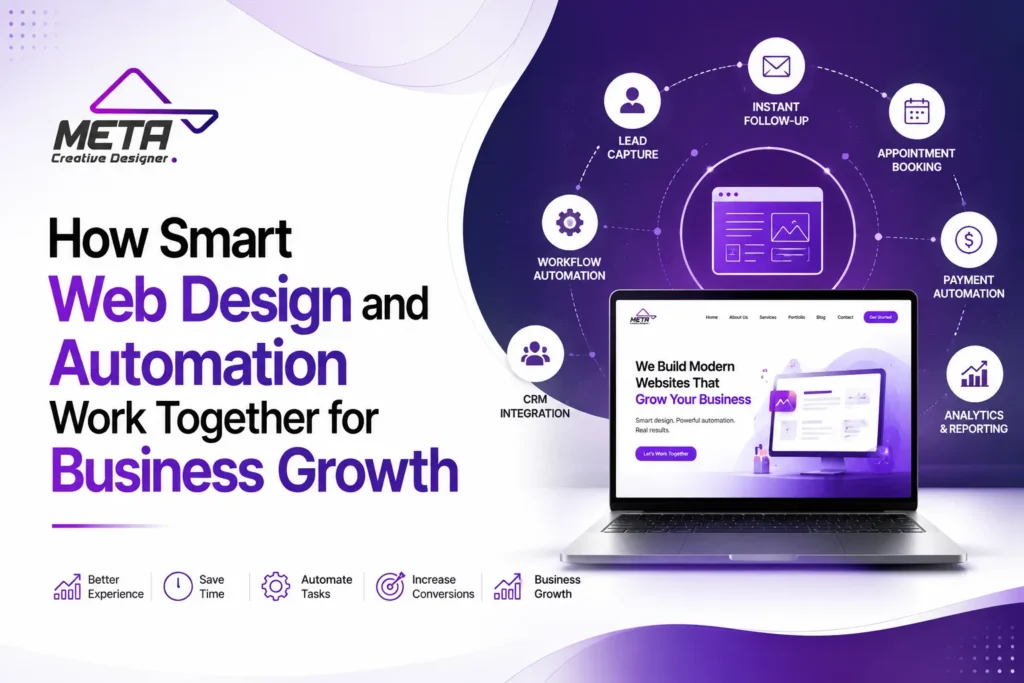

Most business owners think of a website as a digital brochure. You build it once, it looks nice, and then it sits there. But that idea is outdated. A modern website is a working system, and when you pair thoughtful design with smart automation, it stops being a static page and starts becoming a machine that grows your business while you sleep.
At Meta Creative Designer, we have watched this shift happen across dozens of small business projects. The companies that win are not always the ones with the biggest budgets. They are the ones who understand that design and automation are two halves of the same engine. Let us break down how they work together and why that partnership matters more than ever.
Why Design and Automation Belong Together
Design and automation are often treated as separate things. One is about how a website looks. The other is about what happens behind the scenes. But that separation is a mistake. Good design guides a visitor toward an action. Automation makes sure that action leads somewhere useful without a human having to lift a finger.
Think about it this way. A beautiful contact form means nothing if the message lands in an inbox nobody checks. And the smartest automation workflow falls flat if the button that triggers it is buried at the bottom of a cluttered page. Design creates the intent. Automation delivers on it. You need both.
When these two elements are built together from the start, the result feels seamless to your customer. They fill out a form and instantly get a reply. They book a call and the calendar updates itself. They abandon a cart and a gentle reminder follows. None of that happens by accident. It happens by design, backed by automation.
How Smart Design Sets the Stage
Before automation can do its job, the design has to earn the click. Smart web design is not about flashy graphics or trendy animations for their own sake. It is about clarity. Every element on the page should have a purpose, and that purpose is usually to move the visitor one step closer to becoming a customer.
Clear Paths Reduce Friction
A well designed site removes obstacles. When a visitor lands on your homepage, they should know within seconds what you do and what to do next. Confusing navigation, slow load times, and too many choices all create friction. Friction kills conversions. A clean layout with an obvious call to action keeps people moving forward.
This matters because automation can only trigger when a user takes an action. If your design makes that action hard to find, your automation never gets the chance to fire. Great design is the on-ramp. Without it, the highway sits empty.
Mobile Experience Is Not Optional
More than half of web traffic now comes from phones. If your site looks broken on a small screen, you lose visitors before automation ever enters the picture. Responsive design ensures forms are easy to tap, buttons are easy to reach, and content flows naturally on any device. This is the foundation everything else rests on.
Where Automation Takes Over
Once design has done its part and the visitor takes action, automation steps in. This is where the magic of scale happens. A single business owner cannot personally respond to every lead at 2 in the morning. But an automated system can, and it does it consistently every single time.
Lead Capture and Instant Follow-Up
Speed matters enormously when a new lead comes in. Studies have shown that responding within the first few minutes dramatically increases the odds of closing the deal. Automation makes instant follow-up possible. The moment someone submits a form, they can receive a personalized email, get added to your customer database, and even trigger a task for your sales team.
At Meta Creative Designer, we often connect website forms to tools like Airtable and Zapier so that a single submission does five things at once. The lead is logged, tagged, emailed, and routed, all before the visitor has closed the browser tab. That kind of responsiveness used to require a full team. Now it requires a good setup.
Nurturing Without the Manual Work
Not every lead buys right away. Most need a few touches before they trust you enough to commit. Email sequences handle this quietly in the background. A prospect who downloads your guide can receive a series of helpful messages over the following weeks, each one building the relationship without you writing a single new email.
This is nurturing at scale. It keeps your brand in front of people who are not quite ready yet, so when they finally are, you are the obvious choice. The design captured their attention. The automation kept it warm.
Booking, Payments, and Onboarding
Automation shines in the parts of business that feel repetitive. Scheduling a meeting, collecting a deposit, sending a welcome packet. These tasks eat up hours every week when done by hand. Automated systems handle them instantly and without error. A client can book a slot, pay, and receive onboarding instructions in one smooth flow, all triggered by their own actions on a well designed page.
A Real World Picture of the Two Working Together
Let us walk through a simple example. Imagine a local service business with a new website. The homepage is clean and loads fast. A visitor arrives from a Google search, immediately understands the offer, and sees a bright button that says book a free consultation. That is design doing its job.
They click. A calendar opens showing real availability. They pick a time. The moment they confirm, several things happen at once. A confirmation email goes out. The appointment appears on the owner’s calendar. A reminder gets scheduled for the day before. The lead is added to a database with all their details. And the owner gets a Slack notification so they know a new booking just landed.
The customer experienced something simple and pleasant. Behind the scenes, automation did the heavy lifting. The business owner did nothing in that moment, yet everything got handled. Multiply that across hundreds of visitors and you can see how growth compounds without adding staff.
The Growth Multiplier Effect
Here is the part that gets overlooked. When design and automation work together, they do not just save time. They create room for growth that would otherwise be impossible. A business owner who no longer spends hours on manual follow-up can focus on strategy, quality, and expansion instead.
Consistency Builds Trust
Humans get tired. They forget. They have off days. Automated systems do not. Every lead gets the same prompt, professional response. Every customer receives the same smooth onboarding. That consistency builds a reputation, and reputation drives referrals. Trust is the real currency of small business, and automation protects it.
Data You Can Actually Use
A well built system also collects information as it runs. You learn which pages convert, which emails get opened, and where people drop off. This data lets you improve your design and refine your automation over time. The system gets smarter with every visitor. That feedback loop is where long term growth really lives.
Common Mistakes to Avoid
As powerful as this combination is, it is easy to get wrong. The most common mistake is automating a broken process. If your follow-up message is confusing or your booking flow is clunky, automation just delivers that bad experience faster. Fix the process first, then automate it.
Another trap is over-automation. Not every interaction should feel robotic. Customers still want to feel like there is a real person behind the brand. The best systems automate the routine and repetitive parts while leaving room for genuine human connection where it counts. Know the difference.
Finally, some businesses build fancy automation on top of a weak website. A stunning workflow cannot rescue a design that confuses visitors or loads slowly. The order matters. Get the design right, then layer automation on top of a solid foundation.
How to Get Started
You do not need to overhaul everything at once. Start with one high impact area. For most businesses, that is lead capture. Make sure your website clearly invites action, then connect that action to an automated follow-up. Even this single improvement can noticeably lift your conversion rate.
From there, look for the tasks you repeat most often. Booking, invoicing, reminders, and reporting are all strong candidates. Automate them one by one. Each small win frees up time and reduces errors, and those wins add up quickly into real momentum.
If this feels like a lot to manage alone, that is exactly where a design partner helps. Building a site and a workflow that talk to each other requires knowing both worlds. The design side and the technical side have to be planned together, not bolted on afterward.
Bringing It All Together
Smart web design and automation are not competing priorities. They are partners. Design earns the visitor’s attention and guides them toward action. Automation takes that action and turns it into a result, reliably and at scale. One without the other leaves value on the table.
For a growing business, that partnership is the difference between a website that sits quietly and one that works around the clock. When your site is built to convert and your systems are built to respond, growth stops being a hope and starts being a process. That is the goal, and it is more achievable now than it has ever been.
At Meta Creative Designer, we build websites that do more than look good. We build systems that grow your business. If you are ready to make your website work as hard as you do, that is exactly what we are here for.
Frequently Asked Questions
What is the difference between web design and web automation?
Web design is about how your site looks and guides visitors, covering layout, navigation, speed, and calls to action. Automation is about what happens after a visitor acts, like sending follow-up emails or updating a database. Design earns the click. Automation handles what comes next.
Do I need automation for a small business website?
Yes, even small businesses benefit. Automation handles repetitive tasks like lead follow-up, booking, and reminders that would otherwise eat up your time. You can start small with just one workflow and expand from there as you see results.
How much does it cost to add automation to my website?
Costs vary based on complexity, but many powerful workflows use affordable tools like Zapier and Airtable. The bigger investment is usually the planning and setup rather than the software itself. In most cases, the time saved quickly outweighs the cost.
Will automation make my business feel impersonal?
Not if it is done right. The goal is to automate routine tasks while keeping genuine human connection where it matters. Good automation actually improves the customer experience by making responses faster and more consistent.
Where should I start with web design and automation?
Begin with lead capture. Make sure your website clearly invites action, then connect that action to an automated follow-up. This single improvement often delivers the biggest early return, and you can build out other workflows over time.
Can automation help my website rank better on Google?
Indirectly, yes. Automation itself is not a ranking factor, but faster response times, better user experience, and consistent follow-up all improve engagement and conversions, which support your overall online performance.