


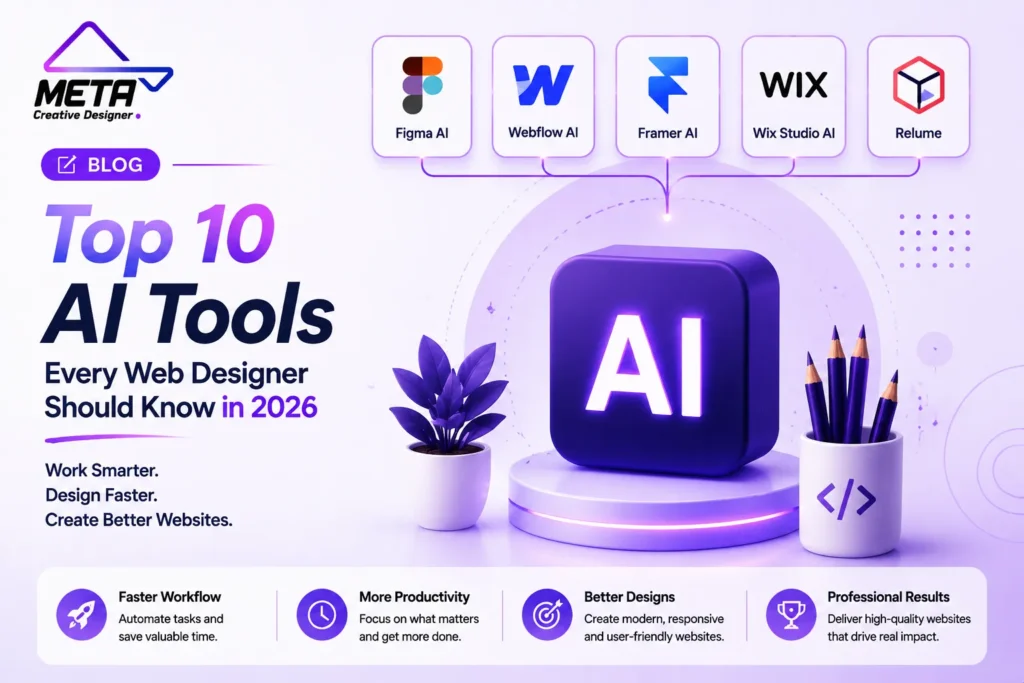

Artificial intelligence is revolutionising the process of website planning, designing, developing, testing, and launching. Tasks once taking days, like building wireframes, creating responsive sections, drafting website copy, generating visual assets, or debugging front-end code, can now be done more quickly with AI assistance.
These tools are by no means a substitute for professional designers and developers. However, even an AI-generated website has the potential of generic layouts, inaccurate information, accessibility issues, inefficient code, and poor conversion paths. There’s still a need for human expertise for strategy, branding, usability, performance, security and quality control.
The best strategy is to leverage AI in repetitive production and early exploration stages, while maintaining human involvement in critical creative and technical decisions. Here’s the list of 10 AI Tools shaping website design and development in 2026.
1. Figma AI
Ideal for: UI Design, Website Ideas, Website Prototypes, and Design Collaboration.
Figma AI assists designers to transform their initial concept into an editable website concept faster. Figma Make can create layouts, content, structure and interactive experiences from natural language instructions. Designers can begin with an empty prompt or choose to use a current Figma frame as the basis of a generated experience.
Figma Sites goes one step further by enabling teams to convert their designs into functional websites. Using responsive components and Auto Layout, designers can publish from the same larger design space, and add AI-driven interactions.
This means that Figma can be used throughout the entire design lifecycle:
- Exploring homepage directions
- Building reusable components
- Creating interactive prototypes
- Navigability and User Flow testing.
- Preparing responsive layouts
Working with developers and clients.Working with developers and clients.
Even though AI can provide concepts, there are still areas that need to be reviewed, such as visual hierarchy, usability, brand consistency, mobile behavior, and accessibility.
2. Relume
Best for: Sitemaps, wireframes, website structure, and early planning
Ideal for: Sitemaps, wireframes, website structure, planning.
Relume is one of the most challenging aspects of site design – determining what pages and sections a website should have.
Designers can explain who they are, what they do, who their audience is and what they are trying to accomplish to Relume and receive a preliminary sitemap. That structure can then be turned into wireframes, with the following sections and draft copy. Relume likewise offers style-guide functions and processes that collaborate with Figma and Webflow.
This helps the teams agree on the structure of the site beforehand before investing time in detailed visual design. The proposed home, services, contact and landing pages can be reviewed by a client, allowing them to avoid major structural changes in the future.
Relume is particularly useful for agencies that are creating marketing websites on a consistent basis. It expedites the planning process without compromising the end-user’s design authority.
3. Webflow AI
Ideal for: Marketing Websites, CMS Projects & Visual Development
Webflow AI can create a full-fledged responsive, multi-page site from the information provided by the user. The generated projects feature a site structure, initial content, a theme, reusable styles, and a basic design system that can be modified within Webflow.
This is a key distinction between a basic page generator and a full-fledged visual-develop tool. While Webflow offers a pre-designed homepage, it also provides a framework that can be expanded as the website expands.
Webflow AI can also help create new sections for your pages, content for your CMS, code elements, and interactive features. The AI code modules can be used to enable features like pricing calculators, multi-step forms, and image galleries. Webflow also launched AI-powered full stack web applications that can coexist with a website on Webflow Cloud.
It can prove useful for agencies and marketing teams that wish to have visual control, content management, hosting, animations and publishing of their production within the same platform.
4. Framer AI
Pros: Optimized for landing pages, startup sites, portfolios and quick publishing.Cons: It is not ideal for longer websites and blogging.
Framer AI lets the designer specify the website, page, section or update that they desire. The use of its AI agent generates modifiable pages, layouts, copy, and visuals within the Framer project itself.
The created result sticks on the visual canvas of Framer, enabling the designer to tweak typography, spacing, images, responsive actions, and interactions. Framer integrates this AI-powered design workflow with CMS functionality, search engine optimization, analytics, collaboration, and publishing.
Framer is particularly useful for:
- Product launches
- Creative portfolios
- SaaS websites
- Marketing campaigns
- Startup landing pages
- Small CMS-based websites
It’s quick and it doesn’t take the eye out of the game. But, created pages still require an expert touch to ensure the completed site doesn’t seem like a template.
5. Wix Studio AI
Advantages: Agency websites, responsive design, business functionality.Best use: Agency websites, Responsive layouts, Business functionality.
Wix Studio is a design tool, a responsive development platform, custom code, APIs and AI-powered features, all in one for agencies, freelancers, developers and marketers.
Responsive AI can review a webpage portion to restructure its elements for the mobile, tablet, and desktop experience. Designers can then fine-tune the responsive structure that was generated with breakpoints and additional layout controls.
Wix Studio AI can also help with content creation, optimizing images, initial coding, and helping to create layouts. The platform works with API and custom code, which makes it possible to implement these features for simple business sites as well as more custom projects.
While responsive automation can save time, there is a need to test each page manually. Individual adaptations may be necessary with text wrapping, position of buttons, navigation, forms and touch interactions.
6. Adobe Firefly
Ideal for: website images, brand concepts, background editing, and more.
Adobe Firefly is a tool for creating and modifying content – images, graphics, video, and more – using text commands.
Firefly offers web designers a variety of tools that can be used to produce hero images, custom backgrounds, promotional graphics, textures, website visual ideas and more. It offers editing features that can remove objects, add space to the background, upscale assets and edit created images.
Firefly also features node-based workflows to automate image generation, editing, compositing, and creative-production tasks. Adobe has introduced AI-powered brand-kit generation, which generates and saves the direction, color palette, and brand identity.
Any generated assets must always be reviewed for visual correctness, license, accessibility and relevance to the brand. Also images are to be compressed prior to publishing, to ensure efficient performance of the websites.
7. ChatGPT
Ideal for: Website strategy, copywriting, coding, research and image making
ChatGPT can help with the creative and technical aspects of website design. It can assist designers with creating discovery questions, writing calls to action, creating FAQs, organizing page content, reviewing files, troubleshooting website issues, and explaining code.
ChatGPT also can generate and edit images using plain language instructions. The designer can show the images as reference, elaborate about the purpose of the image and ask for changes in the conversation.
ChatGPT can assist with developing and editing HTML, CSS, JavaScript, and application logic for coding tasks. It features a Canvas interface that offers an isolated workspace for writing and coding projects that need to be developed and edited over time. ChatGPT Sites can even convert concepts and current content into interactive websites or light-weight applications.
All claims, contacts, service descriptions and code samples created must be verified prior to being placed on a live site.
8. Claude
Best for: Detailed client briefs, long-form website content, prototypes, and interactive tools
Claude is particularly useful when a website project includes lengthy documents, complicated requirements, or substantial written content.
Claude Artifacts can play websites, code, SVG graphics, dashboards, diagrams, documents, and interactive applications in a separate workspace next to the conversation. Users can make more specific changes to the artifact without having to re-enter the entire output.
Here are a few of the ways a designer or developer can leverage Claude:
- Take a client brief and create a website structure.
- Distribute a lot of service material
- Construct an interactive calculator.
- Prototype a questionnaire
- Create front-end code
- Examine and comment on existing code
- Prepare technical documentation
Claude can also create AI-powered artifacts and offer conversational debugging when a feature isn’t working as expected.
Before going into production, generated code should still be tested for security, performance, compatibility and accessibility.
9. v0 by Vercel
Ideal for: Generative UI, production websites and full stack Web Applications
v0 lets users write the natural language description of an idea, and then outputs the UI and supporting code. It can build anything from landing pages and blogs to dashboards, chatbots, and complete applications, which can be deployed on Vercel.
This platform can be helpful in linking ideas for design with their actual implementation on front end. Once the concept is created, a product designer can output the resulting interface design, and a developer can check for the resulting code and make improvements, without having to recreate the concept manually.
Vercel has moved v0 from experimentation with the UI to production applications and agent-assisted development. Can create full stack Vercel projects, not just static parts.
v0 is particularly useful for fast prototyping, internal tools, SaaS interfaces, dashboards and custom website functionality. Proper testing, data protection, authentication controls and code review are still needed for production projects.
10. GitHub Copilot
Worst for: Application development, code review, and debugging
GitHub Copilot can help developers at every stage of the software-development process. Provides code completions, chat support, code explanations, development agents and editor support for Visual Studio Code, Visual Studio, JetBrains IDEs and Neovim.
Copilot can assist website developers with:
- Understands how to write HTML, CSS and JavaScript.
- Build responsive components
- Create React or Next.js features
- Explain unfamiliar code
- Add tests
- Debug layout problems
- Improve accessibility markup
- Review pull requests
Cloud-based Copilot agent works on a separate development environment, performs changes, runs tests and returns the pull request for human review. Other new features of GitHub include self-review, security scanning, semantic code search, and custom agents.
Copilot is designed to help speed up development but should only be used with the understanding that the suggestions should be reviewed before use. The code generated can have poor logic, inappropriate dependencies, be insecure, or fail to fully implement the design.
How These AI Tools Are Changing Web Projects
The biggest change is not that AI can generate a page. It is that AI now supports nearly every stage of the website workflow.
Relume can establish the structure. Figma can develop the visual direction. Firefly can produce custom imagery. ChatGPT or Claude can support content and strategy. Webflow, Framer, or Wix Studio can turn the concept into a responsive website. v0 can build custom interfaces, while GitHub Copilot can support development, testing, and ongoing improvements.
This creates faster handoffs between strategy, design, content, and engineering. Teams can explore more ideas and identify problems earlier without manually producing every initial draft.
How to Choose the Right Tools
Discover how these AI tools are reshaping web projects.Explore the ways in which these AI tools are transforming web projects.
But, the most significant shift is that AI can produce a page. It’s that AI takes near every step of the website process.
The structure can be set up with Relume. Figma can develop the visual direction. Firefly has the ability to create custom imagery. Content and Strategy can be supported by ChatGPT or Claude. They can design the concept into a responsive website using Webflow, Framer, and/or Wix Studio, and v0 can assist in development, testing, and continuous enhancements, with the help of GitHub Copilot.
This results in a quicker transition between strategy, design, content and engineering. Teams can brainstorm more concepts and surface issues earlier without having to create each initial concept draft.
Identifying the best tools for the job.Selecting appropriate tools to use.
The majority of designers and developers do not require all 10 platforms. The optimum mix will be determined by the project and the current workflow.
Plan & design using Relume & Figma. Pick Webflow, Framer or Wix Studio for creating a website visually. For custom assets, use Firefly, strategy and content from ChatGPT or Claude, generative application interfaces with v0, and code-heavy development with GitHub Copilot.
When considering a platform, make sure to look at its existing pricing, usage limits, integrations, privacy controls, export options, and ownership requirements. Businesses need to check on the latest features by contacting the provider directly.
Conclusion
The influence of AI on website design and development is reshaping the way websites are built today.The impact of AI on website design and development is transforming how websites are created today.
They can create structures, layouts, visuals, content, interfaces and code, but they don’t automatically know all customers, brands, accessibility requirements or business goals.
The best websites will persist in balancing human strategy and creativity with AI efficiency. By mastering the art of directing, monitoring, and enhancing the output of AI tools, designers and developers can create websites that are higher in quality, unique, user-friendly, and situated under control, while also delivering page loads at a faster rate.
Frequently Asked Questions
How is AI changing website design and development?
AI helps teams create sitemaps, layouts, content, images, prototypes, responsive designs, and code faster.
Which AI tool is best for UI and website design?
Figma AI is useful for interface design, prototyping, collaboration, and visual exploration.
Which AI tool is best for website planning?
Relume helps generate sitemaps, wireframes, style guides, and early website structures.
Which AI platforms can build complete websites?
Webflow AI, Framer AI, and Wix Studio AI can generate, customize, and publish responsive websites.
Which AI tool is best for website images?
Adobe Firefly is a strong option for generating, editing, extending, and refining website visuals.
How can ChatGPT help with website projects?
ChatGPT can support strategy, website copy, research, FAQs, code, troubleshooting, and image creation.
Is Claude useful for web development?
Yes. Claude can analyze detailed briefs, organize content, generate code, and create interactive prototypes.
What is v0 by Vercel used for?
v0 generates user interfaces and code for landing pages, dashboards, websites, and full-stack applications.
Which AI tool is best for custom coding?
GitHub Copilot helps developers write, explain, test, debug, and improve website code.
Can AI replace web designers and developers?
No. Professionals are still needed for strategy, branding, accessibility, security, creativity, and quality control.