

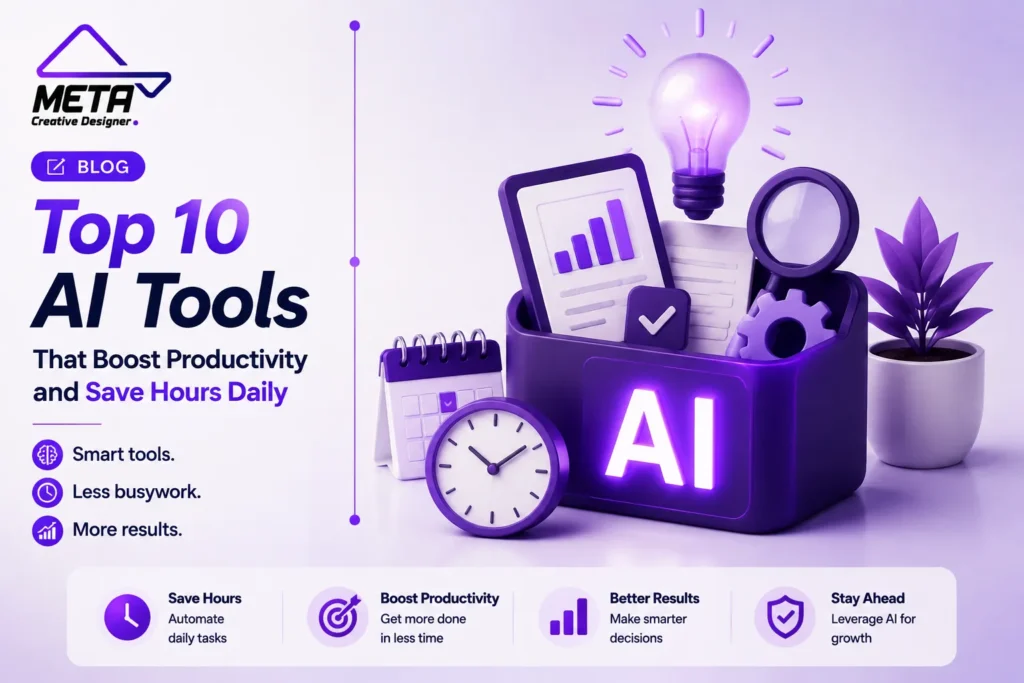

Routine tasks of modern professionals involve composing emails, looking for information, meeting, updating projects, creating content, and transferring data between applications for most of the day. Each task might be insignificant by itself, but when added up, it can amount to hours that could be better spent on strategy, customer service, creativity, or business growth.
Artificial Intelligence can save time by generating initial drafts, summarizing content, organizing projects, scheduling tasks, taking notes during meetings, and streamlining repetitive tasks. It is not the object of using AI in all activities. To identify the things that are slowing you down and choose tools to make them easier.
In this article, we list 10 AI tools that can make the work for business owners, freelancers, marketers, designers, developers, and remote teams more productive and efficient in less time.
1. ChatGPT
Ideal for: Research, writing, planning, analysis, and overall productivity.
ChatGPT is a versatile AI tool that can aid in a variety of professional tasks. Users can brainstorm ideas, write an email, create a marketing action plan, summarize a file, digest information, write content, and organize complicated assignments into chunks.
ChatGPT Projects enable you to maintain all your chat conversations, reference files, and instructions in one place. It can be helpful for current client accounts, research projects, content campaigns, and business planning. ChatGPT’s extensive research capabilities can also compile, analyze, and organize information from various online sources to produce a report, citing sources.
An example would be a marketing person being able to store brand guidelines, campaign notes, customer data, and approved content in one Project. The user can keep working within the same organized context without repeating the description of the project again in each conversation.
ChatGPT is most useful when users set clear objectives, give it precise context and background information, and provide examples of the results they want. Any important facts, business decisions, and calculations should always be reviewed.
2. Claude
Ideal for: Long documents, structured writing, coding, and complex projects
Claude is specifically helpful for tasks that involve lengthy documents, detailed instructions, research material, or multiple iterations of revisions.
Claude Projects are workspaces to structure project knowledge and associated discussions. Its Artifacts include displays of significant outputs, including documents, code, diagrams, visualizations and tools, in an additional workspace next to the conversation. Users can edit, enhance, and extend these outputs, while retaining the original discussion.
A business consultant might upload a comprehensive client brief, solicit Claude’s input on the greatest challenge, develop a proposal, and put together an implementation plan. It can be used by a developer to document, find potential bugs, or help with code explanations.
When a job needs to be carefully organised and written up, Claude can save time. It is important to note that technical claims, calculations, and recommendations should be checked by users before use.
3. Google Gemini
Google Meet lets you access all of Google’s video conferencing tools from a single app. Google Meet is the central hub for all video conferencing tools in Google.
Google Gemini is a viable solution for teams that are already using Google Workspace. Gemini is now included with apps like Gmail, Docs, Sheets, Meet, Chat, and more Workspace tools.
Can assist users in drafting and summarizing emails, preparing documents, analyzing data in spreadsheets, finding files, noting down information in a meeting, and organizing information without switching applications. Google also has tools to help businesses create and manage automated workflows in Workspace using Gemini.
For example, a manager might summarize a lengthy message in Gmail, search for related files in Drive, draft a meeting agenda in Docs, and use information in the organization’s Workspace to create tasks later.
A well-organized company’s files and communications will benefit most from Gemini. Administrator controls, access permissions, and plan availability should also be considered before implementing AI throughout the team as a business.
4. Microsoft 365 Copilot
You will get the best use of this when working with Word, Excel, PowerPoint, Outlook, and Teams.
Microsoft 365 Copilot assists professionals in interacting with information throughout the Microsoft ecosystem. Can be used for drafting content, summarizing documents, analyzing data, making presentations, managing emails, and research in the workplace.
Copilot can be used in various applications, such as Word, Excel, PowerPoint, Outlook, and Teams. Microsoft also has agentic features available to carry out tasks and orchestrate workflows across Microsoft 365, with the same permissions and security controls that are already in place.
A sales representative could use Copilot to create a proposal using approved company files. A manager might be able to capture the essence of a Teams discussion and turn the key decisions into an action plan. An analyst can use it to delve into the data in a spreadsheet and to create a presentation.
Copilot is particularly useful for companies with most documents and communications in Microsoft 365. Appropriate permission management will continue to be crucial to ensure that employees do not look at information that is not relevant to their role.
5. Notion AI
Ideal for: Knowledge management, project organization, and follow-up of meetings
Notion AI integrates the productivity of documents, internal knowledge, databases for projects, notes from meetings, and AI-driven agents into a single workspace.
It has AI features that answer questions, prioritize tasks, create reports, search related information, and manage project updates. Notion AI Meeting Notes can record conversations, create meeting notes, and summarize content, and its AI agents can automate repetitive tasks and workflows.
For instance, once a client session is finished, Notion AI can produce a summary, pinpoint the future steps, and arrange the action items with the corresponding project. This minimizes the need of copying meeting details into other documents or task-management systems.
The best use for Notion AI is when the workspace is well named, up-to-date, with databases sorted and owners assigned to them. AI is not capable of generating reliable answers if the source information is not up-to-date or organized.
6. Motion
Ideal for: Automatic scheduling, task prioritisation, and project planning.
Motion is built to assist professionals in choosing and prioritizing work and when to do it.
It utilizes AI Task Manager to automatically schedule tasks according to deadlines, priorities, task dependencies, and calendar availability. Motion can re-shuffle the schedule when plans change, instead of the user having to manually reconstruct the day. It could also create a structure for a project including tasks, deadlines, stages, and assignees based on a description and supporting documents.
This can be helpful for people with a long list of tasks but who don’t know how to make it all fit into a day. Users can identify what task they should do next during the next available time block without having to re-read the unfinished task.
Realistic deadlines and realistic task durations are still needed for the motion. No scheduling platform can make more hours if they have too much work to do.
7. Otter.ai
Ideal for: Meeting Transcription, Summaries & Action Items
Meetings often generate more work for someone to take notes, to summarize, to identify follow-up items, and to write follow-up messages.
Otter’s AI Meeting Agent can provide real-time transcription, automated summaries, insights, and action items. It can join Zoom, Google Meet, and Microsoft Teams meetings, as well as integrate meeting details into Slack, HubSpot, Salesforce, Jira, Google Drive, and Notion.
A sales team can use Otter to record customer requirements, and then import meeting information into their CRM. Action items can be directly entered into a project team’s work-management system.
This enables the participants to concentrate on the talk instead of writing all the details. There should be adherence to relevant recording and consent obligations and key names, figures, and dates should be reviewed for transcription mistakes.
8. Zapier
Ideal for: Linking applications or automating repetitive workflows
Zapier allows businesses to automate moving data between apps. It enables AI workflows, agents, chatbots, forms, tables, and integrations on over 9,000 applications.
Users can use natural language instructions to brainstorm, build, configure and maintain automated systems with Zapier Copilot. While Zapier Agents can be used to take action across connected applications, standard workflows can work with predictable, rule-based processes.
Imagine, when a website form is filled out, Zapier can automatically add a contact to your CRM, remind your sales team, add a follow-up task, update a spreadsheet, and send an email confirming the new contact.
The biggest time savings are usually the automation of the work between tasks as opposed to one task. All workflows need to be tested and involve the addition of error notifications, a responsible owner and a manual recovery process.
9. Grammarly
Ideal for: Email messages, reports, proposals and professional correspondence.
As professionals work on various apps and sites, Grammarly enables them to enhance their writing.
It offers AI tools that can create text, fix errors, enhance clarity and tone, and rewrite content for specific purposes. It can be used for business reports, customer e-mails, job descriptions, web content, and so on.
A customer service representative could utilize Grammarly to make a reaction more clear and more professional. A salesman can enhance an outreach e-mail, and a manager can refine complex project directions before they’re dispatched to the team.
Grammarly works best as an editing assistant, rather than a final approver. Changes recommended by the user should be checked to ensure the meaning is not altered, especially in legal, technical, medical, or financial texts.
10. Canva AI
Ideal for: Presentations, graphics, ads, and visuals
Canva AI enables individuals or teams to produce visual content without having to start from a blank canvas.
Its AI capabilities can create actionable designs, write text, design images and graphics, craft presentations, and turn concepts into marketing materials, all of which can be edited afterward. The conversational AI tool can also be used to brainstorm ideas and sketch designs in Canva’s editor.
One Marketing team could create a presentation, social media graphics, a digital ad and a promotional document from one Idea. Teams can also use templates and brand controls to ensure visual consistency.
All produced materials should be screened for readability, branding, image accuracy, accessibility, and rights of use. While AI is useful for increasing design production speed, humans are still required to produce professional and distinctive designs.
How to Select the Right AI Tools
The first step is to determine the time-consuming tasks.
Use ChatGPT or Claude for wide-ranging knowledge tasks, writing, analysis and planning. Choose Gemini for businesses that use Google Workspace, or Microsoft 365 Copilot for those that are based on Microsoft apps.
Collaborate on documents and project knowledge with Notion AI. Motion can be used automatically for planning meetings, Otter can automate meeting administration, Zapier can integrate business processes, Grammarly can enhance communication and content creation, and Canva AI can create visual content quickly.
Don’t buy multiple platforms that do similar things. Work with one clear problem, test one tool with real work, and measure if it decreases completion time, errors, missed follow-ups, or unnecessary application switching.
Availability and features are subject to change and each may have multiple options, so before implementing a tool throughout your organization, check security controls, integrations, export capabilities, usage limits and pricing.
Conclusion
AI can make the job easier and faster for professionals, freeing up more time to spend on research, writing, scheduling, meetings, communications, design and repetitive administration.
AI isn’t the best tool for every job. It identifies and eliminates flow blockages to streamline operations.
Start with one challenge, pick the best platform, and gradually test it. When it comes to repetitive tasks and initial drafts, let AI do the work, but stick to strategy, creativity, accuracy, privacy, customer and final decision.
Frequently Asked Questions
What are AI productivity tools?
AI productivity tools help with writing, research, scheduling, meetings, design, analysis, and workflow automation.
Which AI tool is best for everyday work?
ChatGPT is useful for writing, planning, brainstorming, research, and document analysis.
Which AI tool is best for long documents?
Claude is a strong option for reviewing, summarizing, and organizing detailed documents and complex projects.
Which AI tool works best with Google Workspace?
Google Gemini integrates with Gmail, Docs, Sheets, Drive, Meet, and other Google applications.
Which AI tool is best for Microsoft users?
Microsoft 365 Copilot supports work in Word, Excel, PowerPoint, Outlook, and Teams.
Can AI organize my daily schedule?
Yes. Motion can prioritize tasks and automatically place them into available calendar time.
Can AI take meeting notes?
Yes. Otter.ai can transcribe meetings, create summaries, and identify action items.
Which AI tool automates repetitive business tasks?
Zapier connects applications and automates lead routing, notifications, emails, data entry, and follow-ups.
Which AI tool improves professional writing?
Grammarly helps improve grammar, clarity, tone, and overall communication.
Which AI tool is best for visual content?
Canva AI helps create presentations, advertisements, social graphics, videos, and marketing materials.
How should businesses choose AI tools?
Choose tools based on your workflow, integrations, security needs, budget, and the tasks that consume the most time.
Can AI replace human employees?
No. AI can reduce repetitive work, but people are still needed for strategy, creativity, accuracy, privacy, and final decisions.