


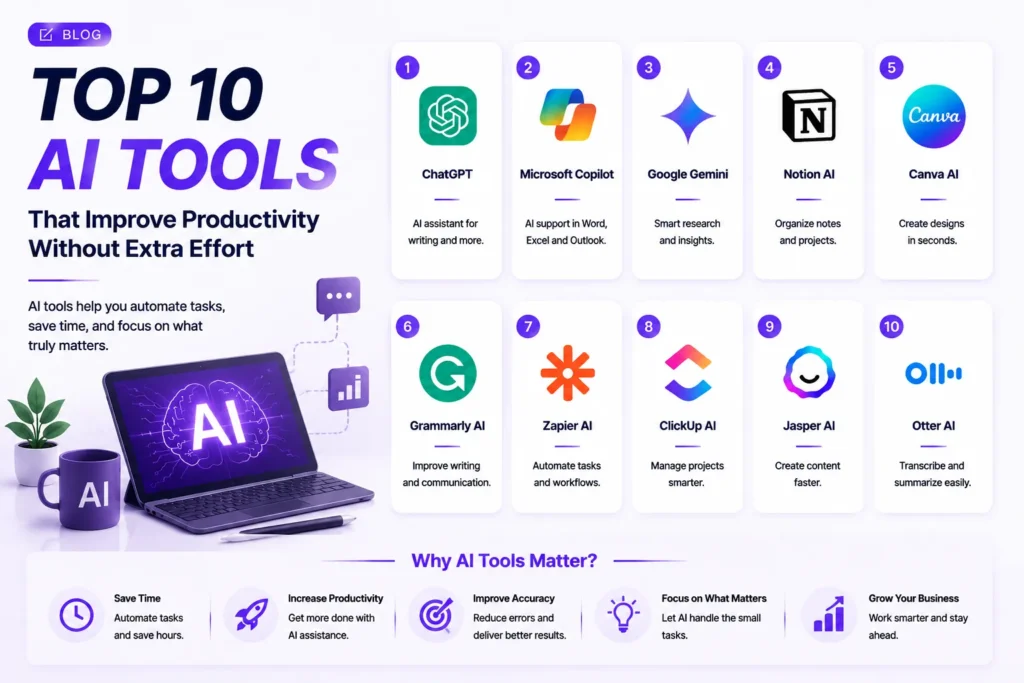

Introduction: Work Smarter With AI-Powered Productivity Tools
In the rapidly changing digital landscape, individuals and organizations are always looking for ways to accomplish more in less time. Accessing emails, generating content, organizing projects, analyzing data, and performing repetitive tasks can be time-consuming and take hours of your day.
Artificial Intelligence (AI) has revolutionized the way people work, by providing smarter solutions which automate mundane tasks and enhance productivity without the need for additional effort.
AI productivity tools are designed to save time, minimize manual tasks, enhance accuracy, and prioritize other critical tasks for professionals. From business owners to marketers, designers, developers, and entrepreneurs, AI can assist you in being more efficient.
Successful professionals of 2026 are not working harder but smarter, with AI-powered tools.
In this blog, we’ll delve into the Top 10 AI Tools That Improve Productivity Without Extra Effort and how they can help you streamline your daily tasks.
1. ChatGPT – Your Personal AI Assistant for Everyday Tasks
ChatGPT is one of the most capable AI productivity tools today. It supports professionals with the writing, research, planning, and problem-solving process to complete their tasks faster.
Users can receive fast AI assistance, saving hours of time spent creating content or looking for information.
The following are some of the many ways ChatGPT enhances productivity:
- Create emails and documents.
- Generate ideas and strategies.
- Summarize long information.
- Create reports.
- Assist with research
- Assist with coding activities
- Plan projects.
ChatGPT is like a virtual assistant to cut down workload and boost efficiency.
2. Microsoft Copilot – AI Assistance Inside Your Daily Applications
Microsoft Copilot integrates AI into popular Office applications such as Word, Excel, PowerPoint, and Outlook.
It assists with getting work done in a quicker time frame while maintaining the same processes.
Microsoft Copilot Benefits:
- Create documents automatically.
- Summarize emails.
- Analyze spreadsheets.
- Generate presentations.
- Improve communication.
Copilot streamlines everyday business activities for companies that rely on Microsoft tools, making them more efficient and straightforward.
3. Google Gemini – Smarter Research and Information Management
Google Gemini enables the user to conduct research, arrange information and create ideas in a quick and fast way.
It is helpful for those professionals who require quick access to information and enhanced support for decision-making.
Google Gemini Features:
- AI-powered research
- Content creation assistance
- Data analysis
- Brainstorming support
- Information summaries
In business, Gemini saves time by minimizing the amount of time invested in data gathering and manipulation.
4. Notion AI – Organize Work and Manage Projects Easily
managing projects easily.
Notion AI is an AI-powered productivity management platform. It enables them to organize notes, manage projects, and create documents faster as a person or a team.
Notion AI can assist in various tasks, such as:
- Creating meeting summaries
- Managing tasks
- Writing documents
- Organizing information
- Creating project plans
Notion AI streamlines workflow by centralizing all activities.
5. Canva AI – Create Professional Designs Faster
Creating a design can take hours, particularly for companies that require regular marketing documents. Canva AI is here to assist users in producing professional visuals in a matter of seconds.
Canva AI Features:
- Generate images.
- Create presentations
- Plan social media posts. Plan social media posts.
- Create marketing graphics.
- Improve visual content
Anyone, regardless of their technical expertise, can benefit from AI assistance to produce high-quality visuals.
6. Grammarly AI – Write Better Content Instantly
Professional success is related to communication. Grammarly AI assists users in enhancing writing, making it more effective, professional, and understandable.
Grammarly AI Helps With:
- Grammar correction
- Professional writing
- Email improvement
- Content rewriting
- Tone adjustment
It boosts the quality of written communication, saving time.
7. Zapier AI – Automate Repetitive Tasks Automatically
There are lots of people who end up wasting hours on repetitive tasks. Zapier AI is designed to streamline workflows by connecting various applications.
Examples of Zapier Automation:
- Manage customer information.
- Update spreadsheets.
- Create notifications.
- Connect business tools
With automation, professionals can perform tasks without having to repeat the same processes.
8. ClickUp AI – Improve Project Management Efficiency
If you’re managing several projects, it can be difficult without organization. ClickUp AI empowers teams to manage tasks, monitor progress, and enhance collaboration.
ClickUp AI Features:
- Task summaries
- Project planning
- Workflow improvements
- Team communication support
- Productivity tracking
AI-driven project management ensures teams remain organized and projects are finished quicker.
9. Otter AI – Save Time With Automated Meeting Notes
There’s a lot of information that can be conveyed at meetings that should be documented and structured. Otter AI automatically creates transcripts and summaries from conversations.
Otter AI Benefits:
- Automatic transcription
- Meeting summaries
- Action item tracking
- Searchable notes
- Team collaboration
With professionals, they can concentrate on the discussion rather than making handwritten notes.
10. Jasper AI – Faster Content Creation for Businesses
Producing regular marketing content is a time and creative challenge. Jasper AI enables businesses to create professional content quickly.
Jasper AI Uses:
- Blog writing
- Social media content
- Marketing campaigns
- Email content
- Advertising copy
It assists marketing teams to produce content on a consistent basis, without wasting time.
How AI Tools Improve Productivity Without Extra Effort
1. Automating Repetitive Tasks
AI automates repetitive tasks like writing, scheduling, organizing, and reporting, minimizing manual tasks.
2. Saving Valuable Time
Experts can get work done quicker and be able to concentrate on vital business decisions.
3. Improving Accuracy
AI can minimize the risk of errors in writing, data handling, and project management.
4. Supporting Better Creativity
AI offers ideas, suggestions, and inspiration for creating improved results.
5. Making Workflows More Efficient
AI links various processes and enables teams to collaborate better.
How Businesses Can Use AI for Better Efficiency
AI can be applied across various aspects of a business, such as:
- Customer support
- Marketing automation
- Content creation
- Project management
- Data analysis
- Internal communication
The aim is to complement human labor, not to displace it, and to work towards maximizing productivity so that teams can work on higher-value tasks.
The Future of AI Productivity Tools
The Future of AI Productivity Tools.
AI productivity tools will continue to become smarter and more personalized. Going forward, solutions will offer more automation, more in-depth data analysis, and deeper integration with the business’s day-to-day systems.
Those who embrace AI today will find themselves at a significant edge, as they can finish tasks quicker, make informed decisions, and concentrate on innovation.
Artificial intelligence is a must-have assistant in the modern working environment.
Conclusion
AI is changing the way people work by making it more efficient and productive without needing to put in additional effort. Whether it’s writing and design, automation, or project management, AI can help professionals save time and ensure they get the job done right.
Frequently Asked Questions
What are AI productivity tools?
AI productivity tools are software solutions that use artificial intelligence to help people complete tasks faster and more efficiently. They assist with writing, research, design, automation, project management, communication, and data analysis.
How do AI tools improve productivity?
AI tools improve productivity by automating repetitive tasks, organizing information, generating ideas, improving accuracy, and helping professionals complete work faster without increasing their workload.
Can AI tools save time for businesses?
Yes, AI tools help businesses save time by automating daily tasks such as email management, content creation, customer communication, reporting, and workflow management.
Do AI productivity tools require technical skills?
No, most AI productivity tools are designed to be easy to use. Users can provide simple instructions or prompts and receive AI-generated results without needing advanced technical knowledge.
What are the best AI tools for improving productivity in 2026?
Some of the most popular AI productivity tools include ChatGPT, Microsoft Copilot, Google Gemini, Notion AI, Canva AI, Grammarly AI, Zapier AI, ClickUp AI, Otter AI, and Jasper AI.
Can AI tools replace human workers?
No, AI tools are designed to support humans, not replace them. They handle repetitive tasks while professionals focus on creativity, strategy, decision-making, and problem-solving.
How does AI automation reduce workload?
AI automation reduces workload by completing repetitive activities automatically, such as creating reports, organizing information, sending notifications, and managing workflows.
Can AI tools help with content creation?
Yes, AI tools can help create blog posts, emails, social media content, marketing materials, and other written content. Human review is still important to maintain quality and accuracy.
How can AI tools help teams work better?
AI tools improve teamwork by organizing projects, summarizing meetings, managing tasks, improving communication, and keeping important information easily accessible.
Are AI productivity tools expensive?
The cost depends on the tool and features required. Many AI tools offer free versions or affordable plans, making them accessible for individuals, freelancers, and small businesses.
Can AI tools improve business decision-making?
Yes, AI tools can analyze information, identify patterns, and provide insights that help businesses make faster and more informed decisions.
Is AI safe to use for professional work?
Most AI tools provide security and privacy features, but businesses should always review privacy settings and avoid sharing sensitive information without proper protection.
How can professionals start using AI tools?
Professionals can start by identifying repetitive tasks in their workflow and selecting AI tools that help automate those activities, such as writing, scheduling, research, design, or project management.
What is the future of AI productivity tools?
The future of AI productivity tools will focus on smarter automation, personalized assistance, better workflow management, and helping professionals complete tasks faster with improved efficiency.