


Digital agencies have a lot of balls to juggle. Discovery meetings, client onboarding, strategy, copywriting, graphic design, website development, advertising, approvals, reporting and support may all be part of a single project.
Without being automated on a single platform, these tasks can consume hours for teams to find files, duplicate project details, follow up, create reports, and move data. Artificial Intelligence can mitigate this administrative burden by sorting information, creating initial drafts, handling repetitive tasks and assisting teams to advance projects quicker.
Although the aim is not to replace designers, developers, marketers or project managers. Often, strong agencies leverage AI to perform routine tasks, leaving their professionals to focus on creative direction, customer relations, accuracy, strategy, and final approval.
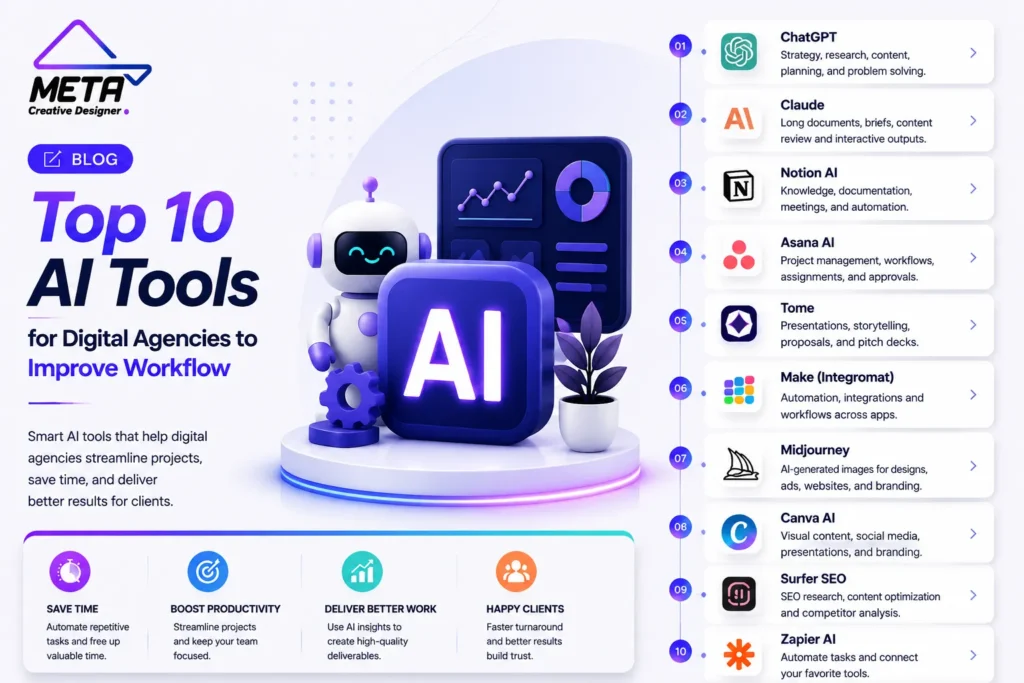
Below are 10 tools for AI to enhance digital agency work efficiency in 2026.
1. ChatGPT
Advantage: Strategy, research, content, planning, and problem solving
ChatGPT is one of the most versatile digital-agency assistants on the market. It can be used by teams to research client briefs, develop discovery questions, develop a campaign outline, draft website content, summarise documents, generate reports, and plan projects.
Agencies can store related conversations, files, and instructions in a single workspace with ChatGPT Projects. An agency might have its own Project for every client and share brand guidelines, service data, customer research, approved messaging, and campaign documents. This decreases the repetition of background details to the client.
It can also do deep research on a site, a file or an application connected to the site and generate a structured report that contains citations. This can be useful for competitor research, market research, content planning, and campaign planning.
The best way to get ChatGPT to do what you want is to give it clear instructions, approved content, and examples of the style you’d like to use. All statistics, claims, prices and data supplied for clients should be checked prior to publication.
2. Claude
This is ideal for lengthy documents, long briefs, content review and interactive deliverables.
Claude is ideal for situations like agency projects where there are long files, complex needs, or extensive written material.
Users can build individual workspaces, their own chat history and knowledge base, in Claude Projects. Agencies can upload proposals, contracts, client briefs and website copy to keep the context of a project alive between conversations and research files and code.
Claude Artifacts show a significant amount of outputs in a dedicated workspace next to the conversation. Documentation, websites, visualisations, dashboards, diagrams, coding and interactive tools are possible outputs. This makes Claude a valuable tool for crafting proposals, analyzing lengthy reports, organizing content, and testing client-facing applications.
A long website might, for instance, be briefed to the agency, who could then request Claude to create a sitemap, a structure of the services pages, a list of content needs, and a production checklist.
Although Claude can speed up more complex knowledge work, it’s still important that the content is accurate, aligned with the correct brand, secure and technically correct.
3. Notion AI
Ideal for: Agency Knowledge, Project Documentation, Meetings and repetitive processes
For agencies looking to consolidate project records, meeting minutes, tasks, processes, and internal knowledge, Notion AI is helpful.
It has an AI Meeting Notes feature that automatically records meetings, summarizes them and highlights actionable items. Those notes, in turn, can be employed to update project statuses, assign responsibilities, tweak time lines and compose follow-up messages for various audiences.
Other repetitive tasks can also be performed by Notion Agents with the information stored in the workspace and linked tools. Agencies may take advantage of agents to produce project updates, arrange customer feedback, respond to internal questions, build meeting prep pages, or update databases following a customer phone call.
This can cut down on administrative tasks following meetings. The agency doesn’t have to type out notes and keep a few systems informed, it can document the conversation directly.
The workspace should be well organized for optimal use of Notion AI. Its answers can be diminished due to duplicate pages, obsolete documents, and unclear ownership.
4. Asana AI
Ideal for: Project management, campaign workflows, assignments and approvals
Digital agencies will typically have multiple projects for their clients. By streamlining workflows, automating repetitive tasks, and prioritizing tasks, Asana AI enables teams to stay more organized, efficient, and focused.
Teams can build AI-powered workflows for repetitive tasks using Asana AI Studio. The workflow could verify that the request for a creative is received, determine if there is any important information missing, prioritize the work, assign it, and place it in the proper project phase.
While AI Studio is geared towards tasks that need to be performed in the same manner repeatedly, AI Teammates are meant to assist in more complex projects. This can be used to help create a campaign, produce creatives, approve content, onboard customers, and report on a project.
For instance, once a new website project is approved, you can create common website tasks such as research, copywriting, design, development, testing, SEO, client review, and launch.
While automation can enhance consistency, it can’t replace the need for a responsible project manager, whose job it is to keep an eye on deadlines, workload, client expectations and quality.
5. Slack AI and Workflow Builder
Best: Communicating to a team, requesting internal information, summarizing, and notifying
Agency teams spend time talking about their clients, sharing files, seeking approvals and solving issues around a project within Slack. AI can aid in structuring those dialogues into more functional work.
From natural language instructions, Slack Workflow Builder can generate automated processes. New AI steps can summarize text, find decisions and action items, classify text, and convert unstructured submissions into a common format.
The following capabilities can be utilized for creative requests, website-revision submissions, lead notifications, project handoffs, incident reports, and even approval reminders. The AI capabilities of Slack can also provide summary, context and explanation, and draft replies, as well as prepare for replies.
The revision form on a website, for instance, could capture the URL, what is being changed, the priority of the change, screenshots of the page and the deadline for the change, and then send the structured request directly to the right channel.
The objective should be to decrease communication noise. When it gets automation set up incorrectly, it leads to too many notifications, so workflows should only notify people who need to take action.
6. Zapier
Best for: Connecting applications and automating multi-step processes
Zapier enables agencies to link different platforms that may not be able to link automatically. Can transfer data from a webform to a CRM, email application, project management application, spreadsheet, calendar, or communication collaboration tool.
Zapier Copilot can guide users to outline an automation in natural language and set up the necessary actions. Zapier Agents are also able to perform AI-assisted tasks in linked apps.
An agency might develop a Workflow such that once a proposal is accepted, it would automatically:
- Creates the client in the CRM
- Generates a project
- Adds standard tasks
- Creates a client folder
- Informs the account manager
- Sends an onboarding email
- Sets up a reminder for a later time
An agency’s agent tools can securely connect to apps within their technology stack and perform necessary actions, based on a set goal.
All critical automation tasks should have error alerts and an owner. Finally, agencies should try workflows whenever a connected platform modifies its fields, permissions, or their integration configuration.
7. Figma AI
Best for: Website design, UI ideas, prototypes, and design cooperation.
Figma AI enables creative teams to brainstorm solutions, develop concepts for user interfaces, and jump faster between design and development.
Figma Make can create interactive website experiences and designs from prompts. Designers can use AI generation to augment their own creative direction, and then edit layouts, typography, elements, interactions, and responsive behavior on the canvas.
Figma’s 2026 design tools also facilitate a smoother flow of code and design, enhancing team collaboration.
Digital agencies can use Figma AI to:
- Create first page directions for the website.Provide initial homepage directions.
- Build interface variations
- Replace placeholder content
- Prototype interactions
- Explore user flows
- Develop ideas for client presentation
The design process should start with AI-generated design but not be limited to it. Other considerations that designers must address include hierarchy, originality, accessibility, mobile behavior, usability and consistency with the client’s brand.
8. Canva AI
Digital agencies often have to produce a lot of imagery at their disposal across multiple platforms. Canva AI can help save time in creating social media posts, ads, presentations, emails, videos, documents, and campaign materials.
The Visual Suite by Canva is an AI-powered suite of content formats that all in one place. Teams can collaborate on documents, whiteboards, presentations, social media, video, websites, and print materials without losing access to their approved brand materials.
Its marketing tools can also aid with brand control, reutilisable templates, applications, integrations as well as scalable material production.
One campaign idea can be created by an agency, and they can quickly transform the idea into a graph for Instagram, a display, a presentation slide, an email graphic, and a client report.
While templates and AI can accelerate production, creative teams must take this into account to maintain the visual quality. Brand accuracy, readability, accessibility, image quality and originality are important elements to test generated content.
9. HubSpot Breeze
Best for: CRM management, marketing, sales, lead nurturing and client growth.
HubSpot Breeze can be helpful for agencies that handle leads, sales pipelines, content, email campaigns, and customer-service workflows in HubSpot.
Breeze is integrated into HubSpot’s customer platform and can be used by marketing, sales and service teams. Breeze Assistant can leverage CRM data and business context to assist in content preparation, information research and other daily work. The company offers dedicated agents for customer engagement, content marketing and sales prospecting.
Agencies can use Breeze to:
- Prepare campaign content
- Research sales prospects
- Summarize CRM information
- Support during preparation of the meetings
- Support lead follow-up
- Be prepared to respond to frequently asked questions.
- Analyze customer context
This is particularly useful if the agency you’re working with offers creative services and then some.
CRM data needs to be up-to-date and correctly segmented. When contact records are duplicated, outdated, or incomplete, AI can’t provide reliable recommendations.
10. Loom AI
Best for: Client updates, design feedback, training and asynchronism.
A lot of agency meetings can be done with a short update made on video. Loom is a tool that allows teams to communicate without having to join a call to provide an explanation of a design, demonstrate a change to a website, give feedback, or record a process.
Loom AI can also create titles, summaries, Chapter, action items, meeting notes and recap emails from recordings. It can also convert video transcripts to process documents and other written content through its AI workflows.
A designer could log a walkthrough of the homepage, rather than attend a 30-minute meeting. The client has the option to view the video at his/her own convenience, to leave comments, and to check an AI-generated summary.
Loom can also be used for employee training, project handoffs, technical demos and client onboarding.
Agencies should not send long recordings unless it is necessary. Asynchronous videos are more effective when they have a clear structure, explanation and action requested.
How to Choose the Right AI Tools for Your Agency
Use ChatGPT or Claude to plan, research, and create content. Internal knowledge and documentation with Notion AI. Use Asana to manage structure projects and Slack to manage group communication.
If your employees are constantly duplicating data between apps, Zapier helps you save time. Figma and Canva support the creation of designs and creations. Loom can cut down on unnecessary meetings and provide for better asynchronous feedback, and HubSpot Breeze can help with generating leads and marketing operations.
Prior to using any tool, read:
- The integration capabilities with the existing platforms.The ability to connect with the current platforms.
- Data privacy and retention policies.
- User permissions
- Subscription fees and fees for use.
- Export options
- Client confidentiality requirements
- Human approval controls
- Team training needs
Begin a workflow and test its impact. Some useful measures are project completion timings, response time, the number of revisions, tasks missed, approval delays, and hours of manual work eliminated.
Conclusion
Digital agency workflows can be optimized using AI tools in various ways, such as improving research, content creation, project management, communication, design, automation, client reporting and feedback.
Too many tools isn’t the best solution. It’s about establishing a seamless network where information flows effortlessly amongst people and platforms.
Good agencies take the drudgery out of the job but not the responsibility. While people are responsible for strategy, creativity, relationship building, accuracy, privacy, and final approval, AI can help draft documents, summarize conversations, organize tasks and move data.
Digital agencies that opt for a handful of AI tools that are well-integrated can accomplish projects more quickly, with fewer administrative tasks and more time for teams to dedicate to creative and strategic activities.
Frequently Asked Questions
How can AI improve a digital agency’s workflow?
AI can automate repetitive tasks, organize projects, summarize meetings, create drafts, and improve team communication.
Which AI tool is best for agency content and strategy?
ChatGPT and Claude are useful for research, content creation, campaign planning, proposals, and client briefs.
Can AI help with project management?
Yes. Tools such as Asana AI and Notion AI can assign tasks, track progress, prepare updates, and organize deadlines.
Which AI tool is best for workflow automation?
Zapier connects different applications and automates tasks such as onboarding, lead routing, notifications, and data entry.
How can AI improve agency communication?
Slack AI can summarize conversations, organize requests, identify action items, and automate internal notifications.
Which AI tools help with design work?
Figma AI supports website and interface design, while Canva AI helps create social graphics, presentations, and marketing materials.
Can AI help agencies manage leads?
Yes. HubSpot Breeze can support CRM management, lead follow-ups, sales activity, customer service, and marketing campaigns.
How can agencies reduce unnecessary meetings?
Loom AI allows teams to record project updates, design reviews, training videos, and client feedback with automatic summaries.
Can AI replace digital-agency professionals?
No. AI handles repetitive work, while professionals remain responsible for strategy, creativity, client relationships, and final approval.
How should an agency choose AI tools?
Choose tools based on your current workflow, integrations, budget, security requirements, and the tasks causing the most delays.